

Question

Force check not working in Centreon GUI

  • March 18, 2024
  • 3 replies
  • 410 views

Forum|alt.badge.img+5

When attempting to use the "Force check" functionality in the Centreon GUI, the operation fails to execute properly. I navigate to a specific service/host, click on "Force check", but nothing happens. There are no error messages displayed, and the status of the service/host remains unchanged.

Expected Behavior:
I expect that when I click on "Force check", the monitoring engine should immediately execute a check for the selected service/host, and the status should be updated accordingly.

Actual Behavior:
After clicking on "Force check", nothing happens. The status remains unchanged, and there are no visible indications of any activity or error.

Additional Information:

  • Centreon version: 23.10.9
  • Operating System: Debian GNU/Linux 1

3 replies

Forum|alt.badge.img+6
  • Steward **
  • March 18, 2024

In my experience, clicking “force check” displays a pop-up at the bottom of the page that says “Check command sent”. I usually wait 10 seconds  or so before refreshing the page to get the new status (if there is any change).

I would check the Centreon logs to see if there’s any message there...


Forum|alt.badge.img+5
  • Author
  • Steward **
  • March 18, 2024

Thank you @eseyman  for the feedback,

i get the pop-up

but after refresh nothing change.

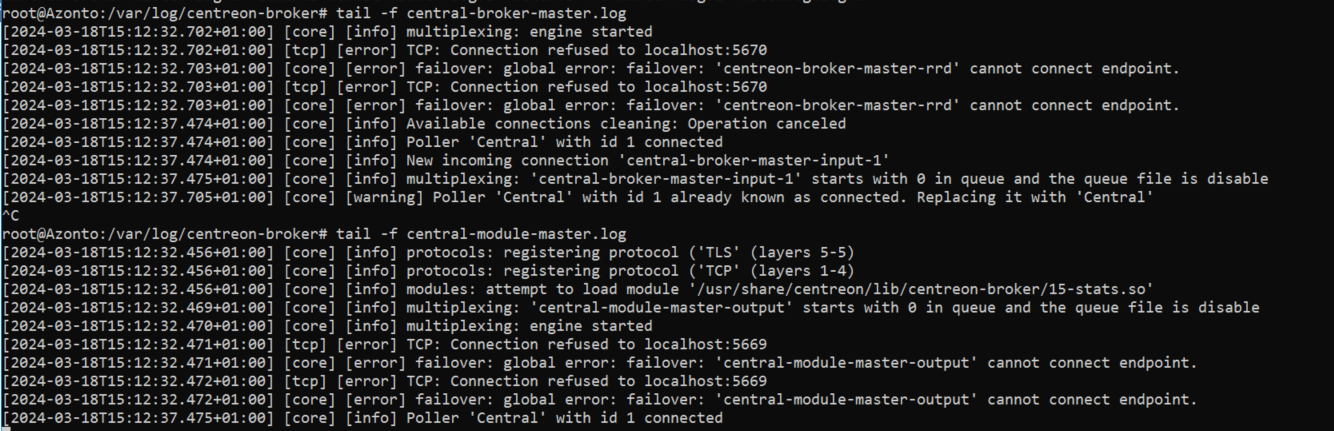
Here is the centreon-broker logs: 


Forum|alt.badge.img+3
  • Centreonian
  • March 20, 2024

Hello M.lazar

Does normal check work or do you see checks as blue/pending ?


could you share your debug log of gorgone too ?

to enable debug log change the env file, depending on your OS

debian : /etc/default/gorgoned

rpm based : /etc/sysconfig/gorgoned

change --severity=error to --severity=debug and restart gorgone, logs should be in /var/log/centreon-gorgone/gorgoned