




  • 1211 Product updates

Filter by product

Monitoring non-public user journeys: private STM Zones are now available

Private Synthetic Monitoring Zones (STM Zones) are now available in Centreon Experience Monitoring, to monitor your internal applications. What it means A private STM Zone allows you to monitor your user journeys on internal domains or networks specific to your organization, using a probe deployed inside your infrastructure.Your internal applications are no longer out of reach: CRM, back-office, intranet, business portals, ERP... You can now run user journeys on them.  How it works The probe is created and launched on a machine inside your infrastructure with the Docker commands provided in Centreon Experience Monitoring. You can then analyze your internal journey just like a regular user journey.Two types of probes are available: STM probe: collects the usual performance and availability metrics used by Experience Monitoring. Recommendations probe: provides personalized recommendations to optimize your applications.  Monitor from several locations You can create several STM Zones, for example one per data center or office, and use them to run a user journey from multiple locations. Give each zone a meaningful name (e.g. Paris Office) to tell them apart. Getting started Create a new Synthetic Monitoring Zone, obtain a probe token, associate a probe and run the Docker commands provided, then associate the zone with your user journey.Prerequisites: a machine inside your infrastructure able to access the application to monitor, and a user journey configured on that application.Full documentation.We would love your feedback in the comments. Want to go further? Read our blog post to see how private STM Zones bring synthetic monitoring to your internal applications, without opening inbound ports or exposing them to the internet: Synthetic Monitoring for Internal Applications

Related products:Experience Monitoring - User JourneysExperience Monitoring - Real User MonitoringExperience Monitoring - Integrations

New Monitoring Connectors Release – October 2026

Every month, Centreon extends its monitoring connector catalog and implements new ones, allowing you to connect your IT monitoring with more ITOps tools. The result: increased visibility and business observability capabilities. We also offer enhancements and fixes on existing connectors.Here is the latest news on your best allies: our monitoring connectors!This October update includes many enhancements and bug fixes, as well as 3 new connectors: Atlassian Statuspage API, Veeam Backup & Replication Rest API and Zscaler Zero Trust Branch API. More details on this month’s monitoring connectors can be found in the release note. Reminder: the Rust SNMP collection beta is openLast month, Centreon opened a beta program for its new SNMP collection written in Rust. The first experimental connectors are available: Generic SNMP (Rust), Linux SNMP (Rust) and Windows SNMP (Rust). The principle remains the same as in legacy collection mode: a connector is described in a JSON file (SNMP queries, macros, thresholds), with no Perl code to write. The engine, however, is now a compiled Rust binary. We are still looking for users willing to test it on their own equipment and share their feedback with us before GA. Join the dedicated beta group on The Watch here. Reminder: new location for NSClient buildsNSClient/centreon_plugins.exe releases are now published on the centreon-plugins repo instead of centreon-nsclient-build. An announcement is available to guide users through the change. Additionally, feel free to participate in discussions about plugins and connectors (monitoring packs, Plugin Packs) right here on The Watch.See you next month for more new features!

Related products:Infra Monitoring - Connectors
Centreon Infra Monitoring 26.10 LTS is available!

Centreon Infra Monitoring 26.10 LTS is available!

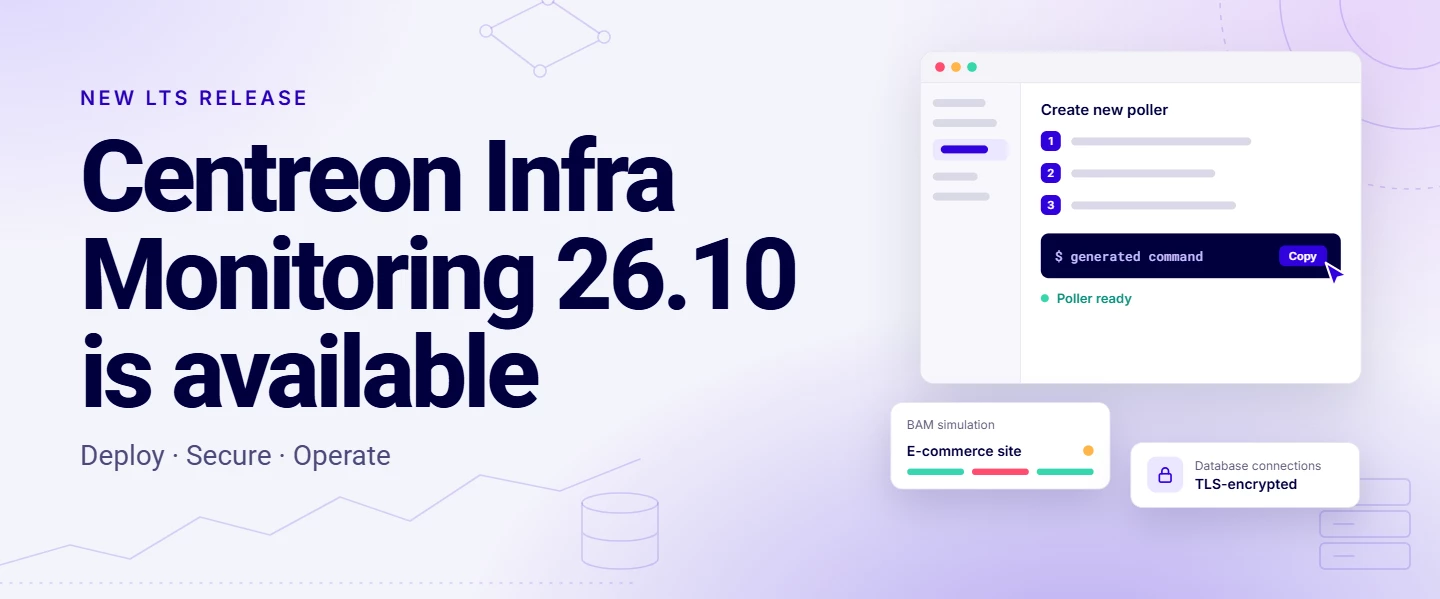
📖 Read the full announcement: English version | Version françaiseCentreon Infra Monitoring 26.10 is our new LTS release, supported until October 2029. It’s a stable foundation to grow your monitoring faster, keep your data protected, and stay ahead of business impact. Here’s what it changes for you.Extend your monitoring with a single commandAdding a poller no longer means following a long procedure. A new wizard in the header generates the install command for you: enter the poller’s name and IP, choose packages or containers, copy the command, and run it. The same command also keeps the poller up to date.Simpler updates with containerized pollers: the containers option generates a Docker Compose file, so updating just means pulling the new image. Faster agent rollout with the Centreon Monitoring Agent: One-command install on Windows and Linux. Hosts register automatically. Certificates are generated by the platform. Also available from 25.10.14. Keep your monitoring data out of clear textAll flows to the database can now be encrypted with TLS, including from the Central / Remote Server and Centreon MAP. Your configuration and monitoring data are protected in transit, which helps you meet your security requirements.See and test business impact before it hits productionUnderstand impact at a glance: build your whole impact tree in one screen, starting from the application. Change your rules with confidence: test them with the BAM simulator (a community request!) before going to production. Keep your business view in sync: connect your business activities to your CMDB through the new documented APIs. Find the root cause faster: new icons in the real-time view point you to it.Smoother day-to-day monitoringFaster dashboards and Resource Status: less waiting when you investigate. A new look aligned with the Centreon Observability Platform: one consistent experience across products. Easier MBI report scheduling and a new MBI widget: reporting with less effort. Monitoring Connectors for Centreon Log Management and Centreon Experience Monitoring: monitor the whole platform with the same tool.Your ideas, shippedMany of these changes come straight from The Watch:Matrix42 provider IDs in the Resource Status CSV export Notes and Action URL columns in the Resource Table widget Auto Discovery and BAM API docs The BAM simulator Macros within macrosThank you for your ideas, and keep them coming in the Ideas section!What’s next?With 26.10 out, versions 24.10 and 25.10 move to support phase 3 (security fixes only). Upgrading to 26.10 gives you three years of support on a stable LTS: check the release notes and upgrade procedures to plan it.🎥 Want to see it live? Join our webinar on November 19 for a demo and Q&A with the product team: Register in English | S’inscrire en français 

Related products:Infra Monitoring - Monitoring

New Monitoring Connectors Release – September 2026

Every month, Centreon extends its monitoring connector catalog and implements new ones, allowing you to connect your IT monitoring with more ITOps tools.The result: increased visibility and business observability capabilities. We also offer enhancements and fixes on existing connectors.Here is the latest news on your best allies: our monitoring connectors!This September update includes a lot of enhancements including, enhancements and bug fixes, as well as seven new connectors : Generic SNMP (Rust), Linux SNMP (Rust), Vates Pool REST API, Vates VM REST API, Vates XCPng Host REST API, Vates Xen Orchestra REST API and Windows SNMP (Rust) . More details on this month’s monitoring connectors can be found in the release note. Centreon is opening a beta program for its new SNMP collection written in Rust. The principle remains the same as in legacy collection mode: a connector is described in a JSON file (SNMP queries, macros, thresholds), with no Perl code to write. The engine, however, is now a compiled Rust binary. We are looking for users willing to test it on their own equipment and share their feedback with us before GA. A dedicated beta group on The Watch available here.Also starting now, the next NSClient/centreon_plugins.exe releases will be available on centreon-plugins repo, not on centreon-nsclient-build. There's an announcement here to guide users. Warning, important information: We have fixed an issue affecting all plugins that was causing empty OK: outputs. These will now return the correct value, UNKNOWN.Additionally, feel free to participate in discussions about plugins and connectors (monitoring packs, Plugin Packs) right here on The Watch.See you next month for more new features!

Related products:Infra Monitoring - Connectors