

New

Apply new graphical action buttons (new Business Activity - style) in all config pages

Related products:Infra Monitoring - Configuration
  • January 23, 2026
  • 3 replies
  • 30 views

Forum|alt.badge.img+8

Hello,

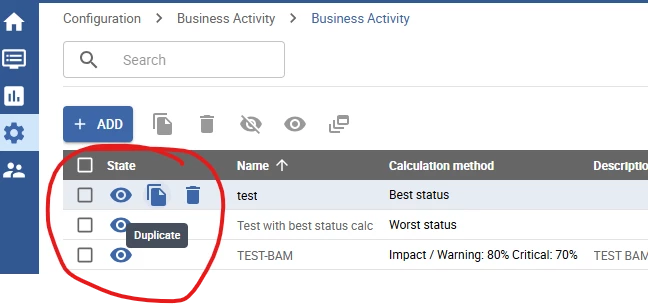
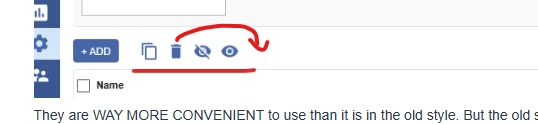
After we’ve upgraded Centreon from 24.04. to 24.10 we noticed, that for nearly each page under Configuration\Commands a new way of presenting/using actions was provided (like in Business Activity config pages).
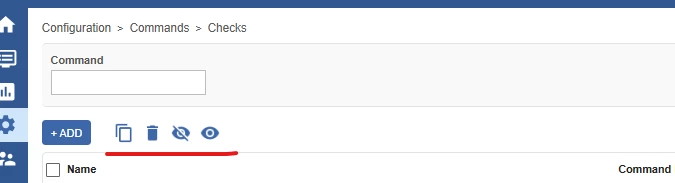
They are WAY MORE CONVENIENT to use than it is in the old style. But the old style action “buttons” are still in many other places.
Once you have started with the pages in Command section, will you do the same for other pages where the old style is still there?
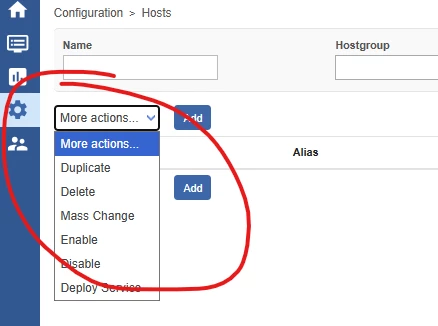


Best regards.

 

3 replies

Forum|alt.badge.img+8
  • Author
  • Steward **
  • January 29, 2026

Hi again,


I noticed that additional change could be the further UX improvement.

These action buttons on the right should be moved and located like they are in Business Activity form.

This way of placing them is more convenient.


lpinsivy
Centreonian
Forum|alt.badge.img+21
  • Centreonian
  • February 4, 2026

Hi ​@Jaroslaw Kesy, thank you for your feedback.

Indeed, we tried refreshing the order page to get user feedback before moving on to the other pages.

If this idea is approved, then we will continue ;)

Regards


Forum|alt.badge.img+8
  • Author
  • Steward **
  • February 4, 2026

Hi ​@lpinsivy ,


That is great :)
I might have an additional cosmetic but IMHO useful suggestion. I would move the Delete action button to the right. 
Sometimes I feel I might hit it by mistake. I think that if it is the last one in the list on the right than I would feel safer ;)


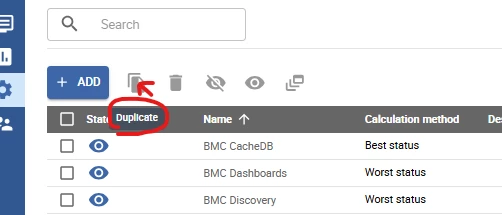
I also noticed that for the newly added buttons in pages under Configuration\Commands the mouse “hover hints” are not displayed like it is for the buttons in Business Activity page.