

Hello,
When you use the Resource page the way when can navigate through service and host is a bit painful.
If you start from the «Resources problems»
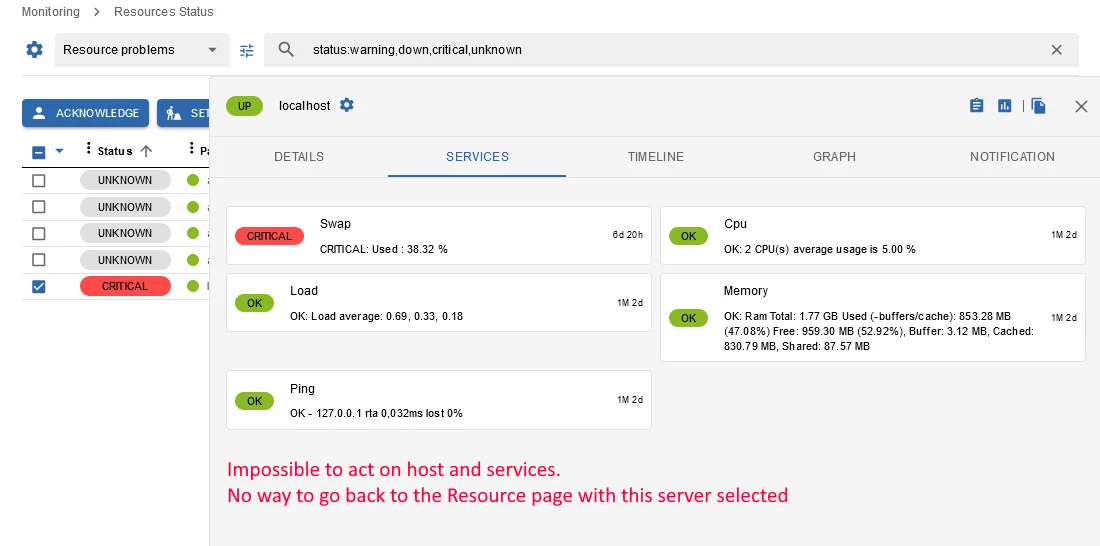
Click on a service, you can go to the host page by clicking on his name on the top of the panel.
After that you can see his details, and the other services on this host.
But you can’t do anything ! No DT, no Ack, …
And there is no way to come back to the Resource page with this server selected.
You must copy/paste the server name from the panel, to the search field.
It was possible from the legacy page with this link :
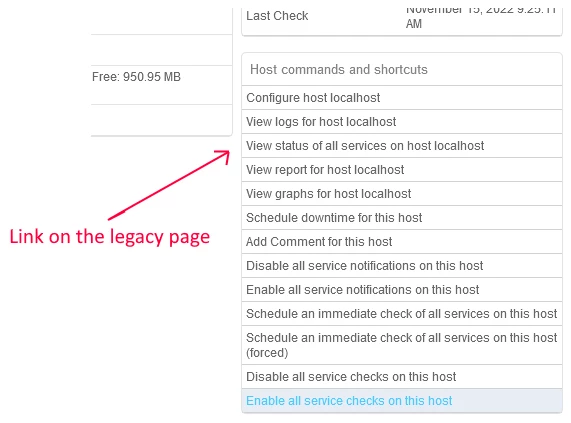
It would be great to have something like this link on the host detail page !
Thanks.

