Declined

Resources status: filter on service name and output

Related products:Infra Monitoring - Monitoring
  • November 24, 2022
  • 5 replies
  • 227 views

Hi,

Add the possibility to filter on the service name or the plugin output (the “Information” column).

Currently, specifying a string without a filter prefix does a search in all the columns. It’s not possible to search only in service name or only in plugin output. Or I didn’t find out how.

5 replies

  • Author
  • November 25, 2022

Hi,

I found this documentation which partially answers my question (and raises more questions 😀):

https://docs.centreon.com/docs/alerts-notifications/resources-status/
https://docs.centreon.com/docs/alerts-notifications/resources-status/#cql-criteria

But. The documentation stipulates:
If you type text into the search bar, by default the search is performed on the following fields:

  • Name of the host
  • Alias of the host
  • Address or FQDN of the host
  • Description of the service

 ”
It’s only partially true, because it searches in the “Information” field (ie: plugin output) too. Maybe some other fields? Not all the fields for sure, but I haven’t tested all the cases.

To search in the “Information” field only, I can use “information:string_to_search”. I’d tried it already without success because I wasn’t using it the right way. It’s a bit disconcerting because :

 - “” (an empty search) shows all the resources
 - “information:lost” shows resources with plugin output like “OK - 10.14.114.22 rta 12.827ms lost 0%”
 - “information: lost” shows no resource at all
 - “lost” shows resources with plugin output like “OK - 10.14.114.22 rta 12.827ms lost 0%”, but also host or service with “lost” in their name.
 - “information:' lost'” shows… I don’t know what exactly but not all the resources.

I still wonder two things :
1) How do I search a string which contains a space? Because “information:a b” would search “a” in the Information field and “b” in some other fields. “information:”a b”” do not work, nor using simple quotes.
2) Is there a joker character, and then what is it? I tried “*” and “%” without success. The documentation doesn’t mention it. Both were some useful functionalities in the “old” pages, despite this bug

There is another thing I don’t understand, a search like “status:critical information:lost urfuihrutizihjtuizertyhfuyftzyurf dfgdggdfgdgdf” gives the same results than “status:critical information:lost” while “urfuihrutizihjtuizertyhfuyftzyurf dfgdggdfgdgdf” gives no result. Is that not a bug?

Last thing: is there a way to use logical operators (or, and) in a search? I know this was not a functionality available in the old pages but I still ask. More generally, is there a documentation about this pompously called “Centreon Query Language”? Google only find the documentation in the links above which refers to this name, only “CQL criteria” but nothing else! I’ll need this because this is what our users will ask if we ask them to try the new Resources Status page. I too don’t like the idea to have to read the source to know how this is supposed to work precisely…

Best regards.


rchauvel
Centreonian
Forum|alt.badge.img+18
  • Centreonian
  • November 30, 2022
NewDiscussion ongoing

Forum|alt.badge.img+5
  • Centreonian
  • January 11, 2023

Following your questions here https://thewatch.centreon.com/ideas/resources-status-filter-on-service-name-and-output-1206 ,


In the search the expected format is either a character string but it also takes into account the regex system, if we do a name:beginningofsearch* it works


How do I search for a string containing a space?

  • You can use the \s like alias:Monitoring\sServer.

Is there a wildcard character? (like "*")

  • the joker is * like alias:Monitoring*

There's another thing I don't understand, a search like "status:critical information:lost urfuihrutizihjtuizertyhfuyftzyurf dfgdggdfgdgdf" returns the same results as "status:critical information:lost" while "urfuihrutizihjtuizertyhfuyftzyurf dfgdggdfgdgdf" returns no results. is it a bug?

  • it is indeed a bug.

Is it possible to use logical operators? or / and etc?

  • the operator OR is available by the using of | characters. ( only available in the criteria search)


A The Watch article will be available soon 🙂

Best regards Baptiste


rchauvel
Centreonian
Forum|alt.badge.img+18
  • Centreonian
  • February 8, 2023
Discussion ongoingDeclined

  • Author
  • February 8, 2023

Hi,

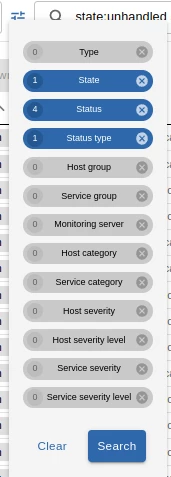
What’s preventing adding “Information” in the list here exactly ?


I understand I can use “information:my_search_string” in regex search input, but I don’t understand why not add it to the list.