Solved

How to monitor disk status on a Qnap NAS

  • May 7, 2025
  • 52 replies
  • 440 views

Forum|alt.badge.img+5
Hello,For the past few days, I've been looking into using Centreon to monitor my IT infrastructure.I installed Centreon 24.10.7 on a VM, then a few hosts and services.My Windows servers are being monitored, butI'm struggling with how to view the status of the disks in a Qnap NAS.I'm monitoring the volumes, but I haven't figured out where to tell Centreon how to check the NAS disks to be notified if they're faulty.Thank you for your help.Eric

Best answer by christophe.niel

I guess you have the translation in the browser, “materiel global” is the check “hardware-global”

it should return the disk status like on my screenshot


you won’t get any “mapping” information, that is not provided by snmp on the qnap, so you have a critical partition because it is consumming more than 90% of the total space


for the “timeout” on the hardware, I suggest you add --snmp-fore-getnext in the snmp extraoption on the service, this should fix the timeout issue

 

next, the “disk” check, this is different from the volume check and is not the physical disk, but the “disk” as they are returned by the linux os, it’s in fact all the partitions of all the file systems in the QNAP


you may be ok with just using the “Volumes” service, wich tell you wich disk number are used, the status, type of raid and disk usage, maybe you don’t need the “disk-global” check


I don’t like using the “disk-global”, as it is confusing because all is mixed in a single, you should “discover” your partition individually


go in the service/scan menu
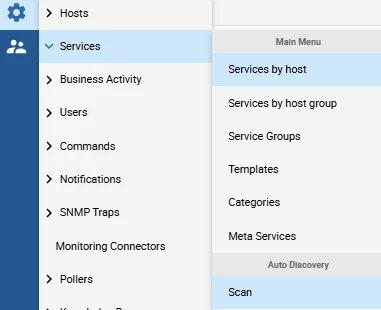
input your hostname, and select the qnap-snmp-disk-name, then clic scan

check all the boxes and save.


some of the partitions are for the qnap system, and some partition will match the volume with your data

you can check based on the size and simply disable the individual services you don’t need (like /ext or /hdaroot)


52 replies

Forum|alt.badge.img+17
  • Centreon Lord Commander
  • May 13, 2025

hello

if you have used the templates from centreon for your qnap with snmp, there should be a service called “hardware-global”


and in that detailed information you can see all the hardware


Forum|alt.badge.img+5
  • Author
  • Steward **
  • May 13, 2025
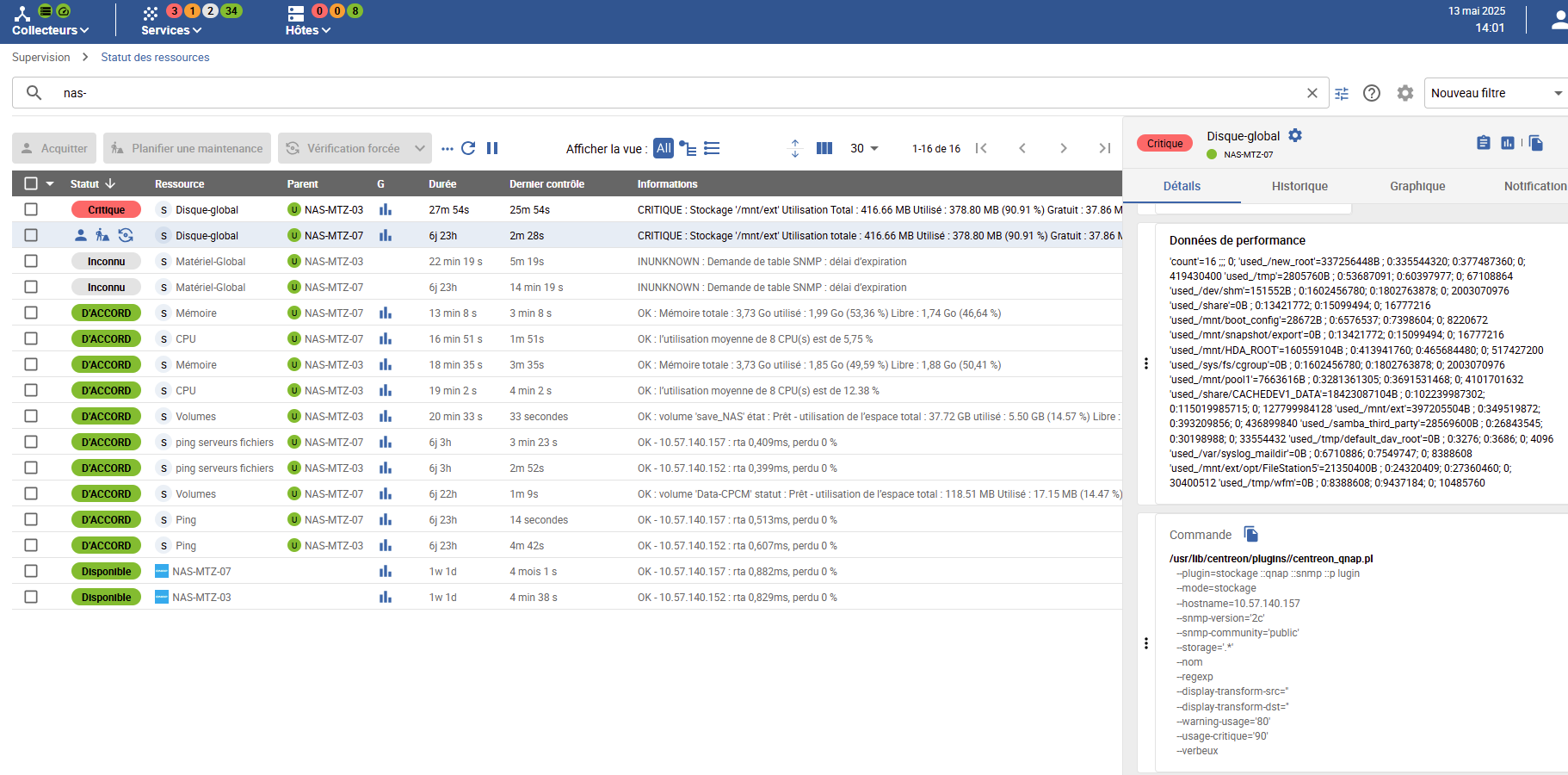
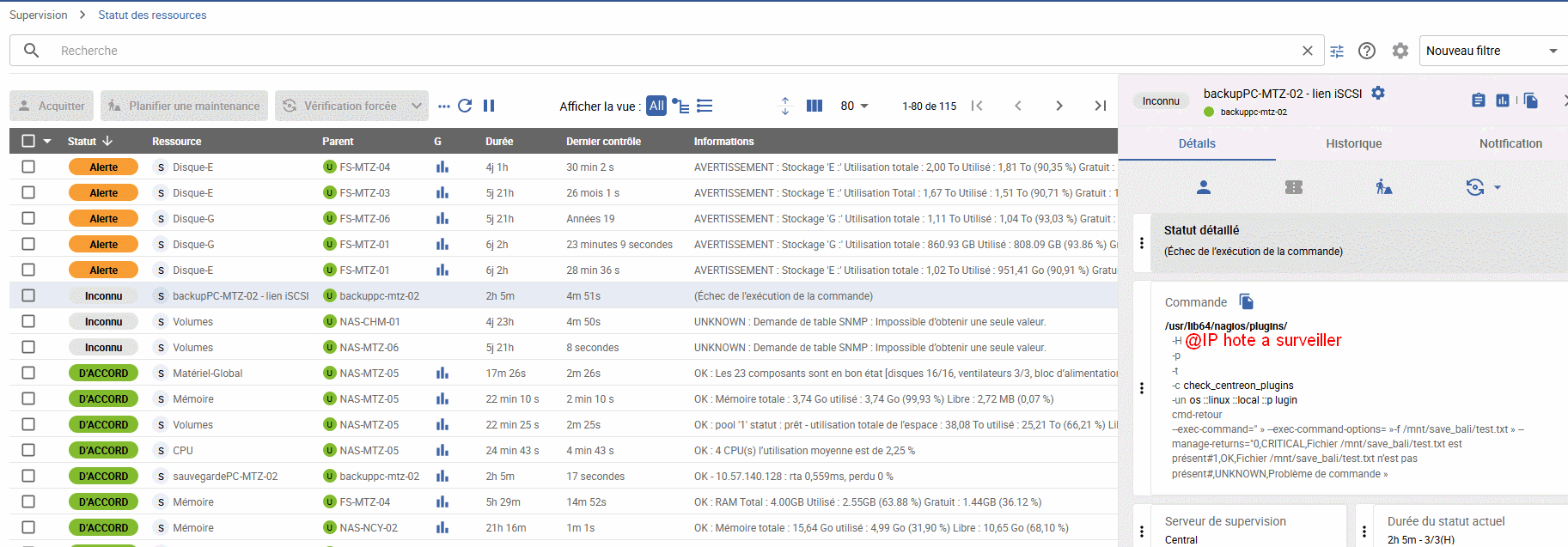
Hello Christophe,Thank you for your reply. I'm struggling a bit, I admit. Here's the status of the resources I'm monitoring, but I can't figure out where to extract the status of the disks making up my Qnap NAS.Thank you for your patience.


Forum|alt.badge.img+17
  • Centreon Lord Commander
  • Answer
  • May 13, 2025

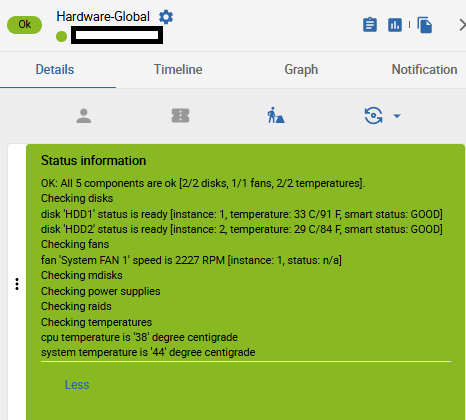
I guess you have the translation in the browser, “materiel global” is the check “hardware-global”

it should return the disk status like on my screenshot


you won’t get any “mapping” information, that is not provided by snmp on the qnap, so you have a critical partition because it is consumming more than 90% of the total space


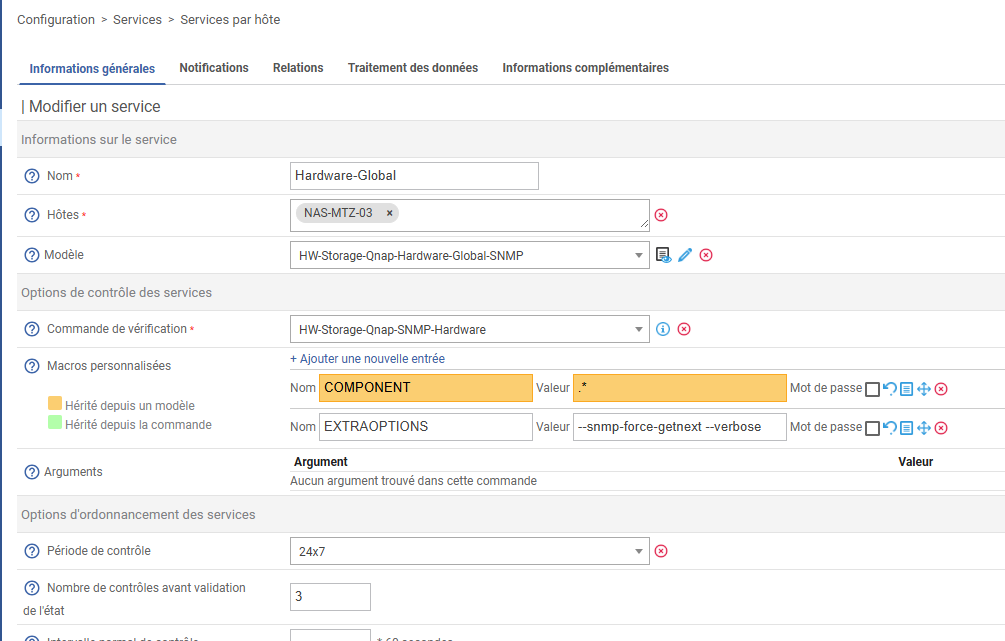
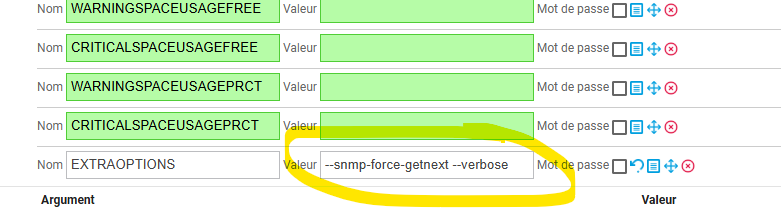
for the “timeout” on the hardware, I suggest you add --snmp-fore-getnext in the snmp extraoption on the service, this should fix the timeout issue


next, the “disk” check, this is different from the volume check and is not the physical disk, but the “disk” as they are returned by the linux os, it’s in fact all the partitions of all the file systems in the QNAP


you may be ok with just using the “Volumes” service, wich tell you wich disk number are used, the status, type of raid and disk usage, maybe you don’t need the “disk-global” check


I don’t like using the “disk-global”, as it is confusing because all is mixed in a single, you should “discover” your partition individually


go in the service/scan menu

input your hostname, and select the qnap-snmp-disk-name, then clic scan

check all the boxes and save.


some of the partitions are for the qnap system, and some partition will match the volume with your data

you can check based on the size and simply disable the individual services you don’t need (like /ext or /hdaroot)


Forum|alt.badge.img+5
  • Author
  • Steward **
  • May 14, 2025
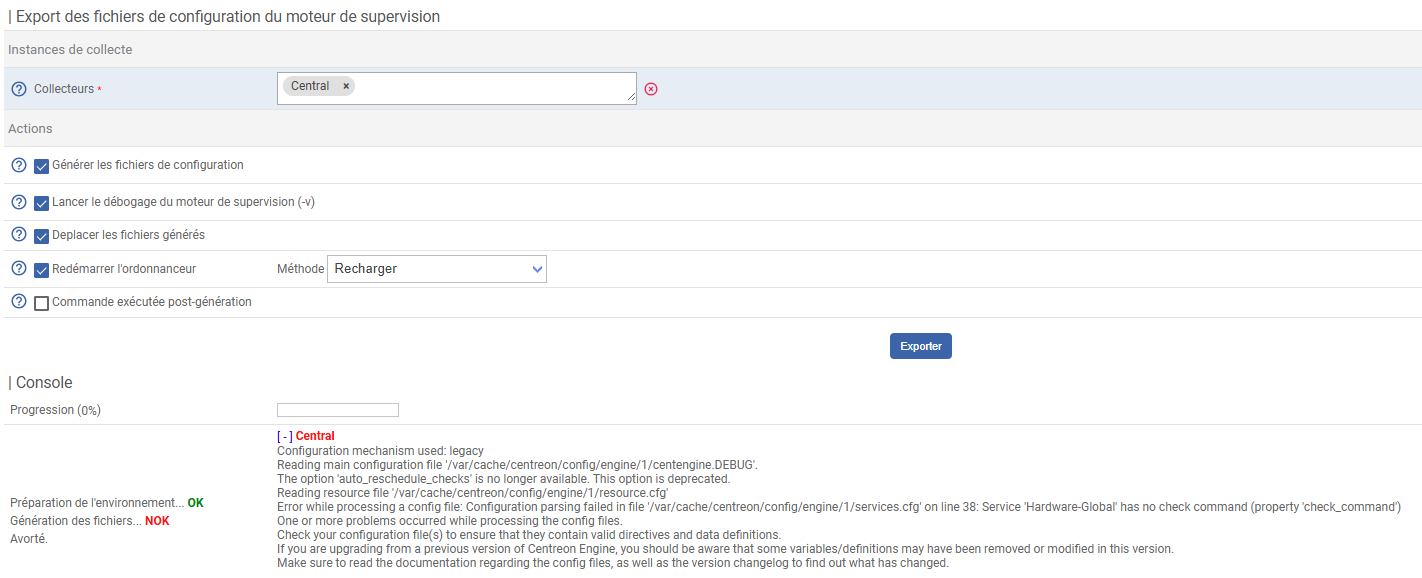
Hello Christophe,By modifying as indicated, exporting the monitoring engine configuration files returns errors.
Thanks for your help.Eric


Forum|alt.badge.img+5
  • Author
  • Steward **
  • May 15, 2025
Hello Christophe,I just understood my mistake thanks to your instructions.Thank you again for your help.


Eric


Forum|alt.badge.img+5
  • Author
  • Steward **
  • May 20, 2025
Hello Christophe,When entering this syntax, it seems there's an error.Thank you for your help.


Forum|alt.badge.img+17
  • Centreon Lord Commander
  • May 20, 2025

hello

can"t help you more without the error

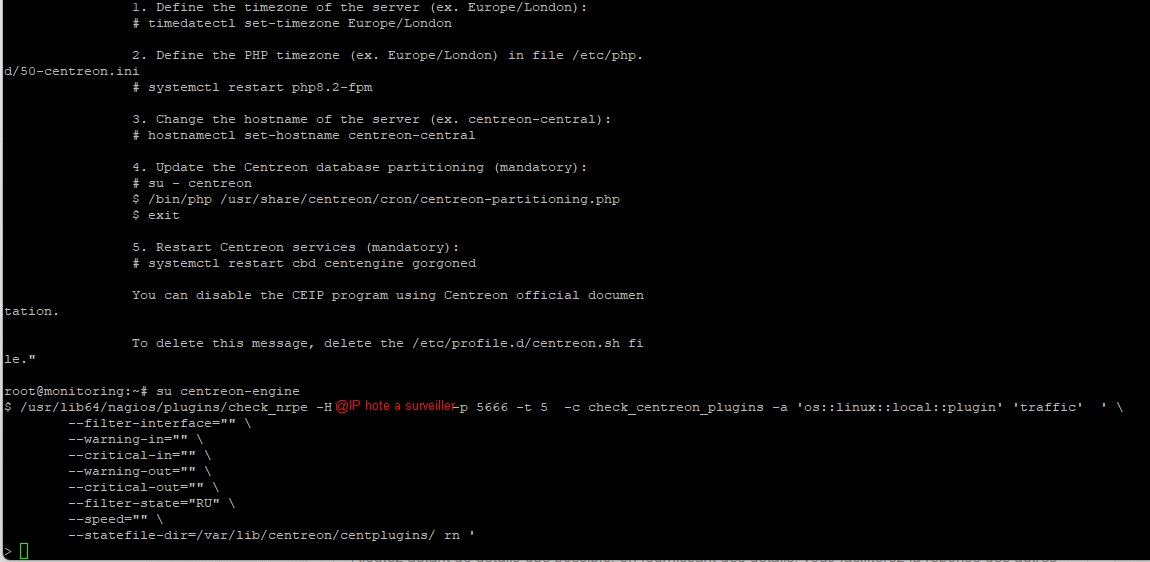
also, try to copy the command from the ressource detail panel, paste the command in the ssh shell then tune it until it works or not

that “--snmp-force-getnext” is optional, try running the command without, but I had to use that option on qnap because I was getting timeout without it.


Forum|alt.badge.img+5
  • Author
  • Steward **
  • May 20, 2025
I'm confused, but I don't see what I need to enter from the host to supervise.


Forum|alt.badge.img+5
  • Author
  • Steward **
  • May 20, 2025
Should I copy the "check_nrpe" file to the host to be monitored?


Forum|alt.badge.img+17
  • Centreon Lord Commander
  • May 20, 2025

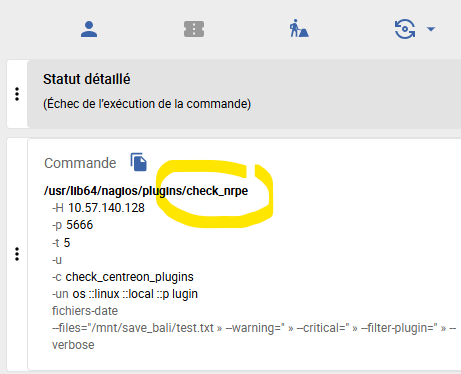
Clic the blue button above your yellow circle, right of "commande"

That will copy the full command

Open the ssh shell on the poller, and paste the command to run it

Screenshot the result 


Forum|alt.badge.img+5
  • Author
  • Steward **
  • May 20, 2025
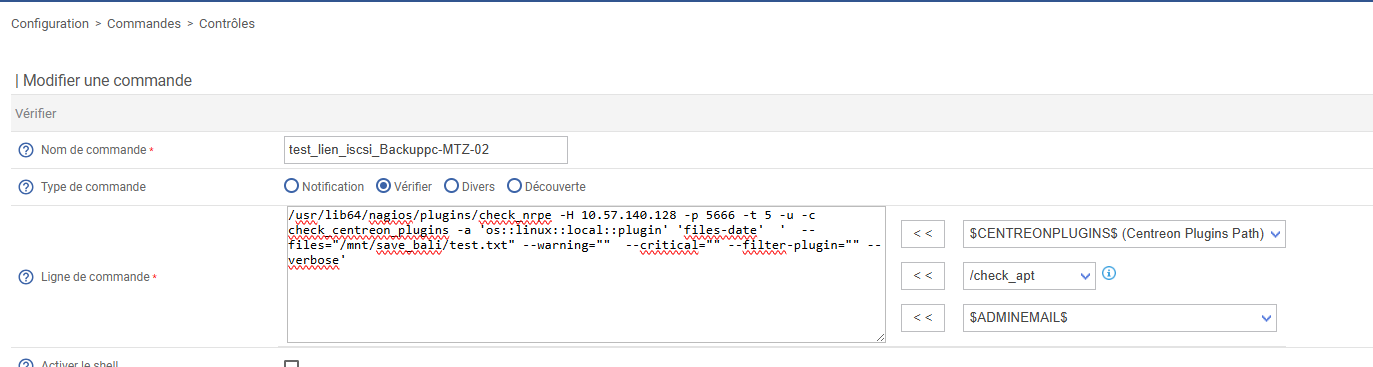
I don't know if this is a good idea, but I created a command by copying the proposed syntax as follows


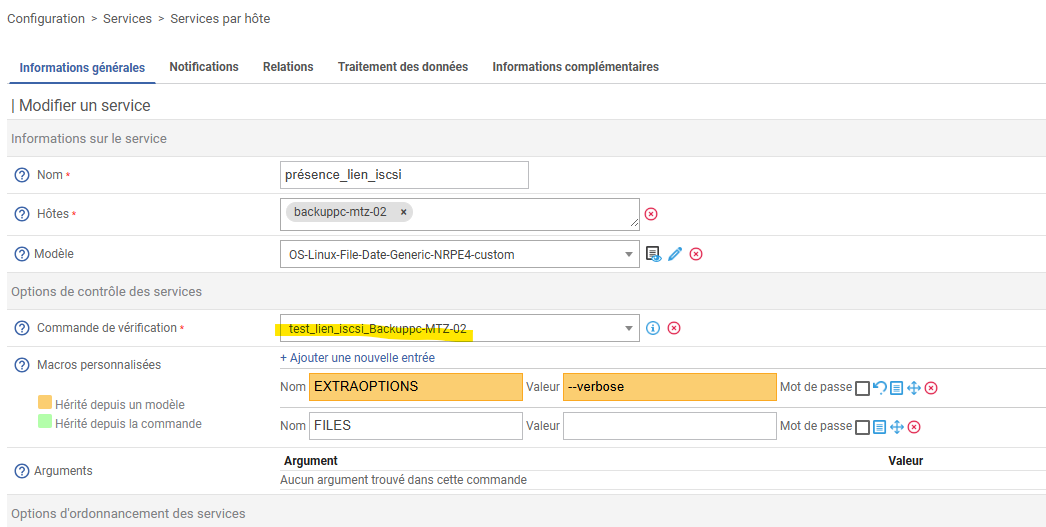
then I mentioned it in supervision


Forum|alt.badge.img+17
  • Centreon Lord Commander
  • May 20, 2025

Well

It's not question of good or bad idea.... it is the process to debug, and it is the exact command generated by centreon. That is the only way to see what really happens.


Forum|alt.badge.img+5
  • Author
  • Steward **
  • May 20, 2025
I just figured it out :-),I must be missing the "check_nrpe" file.


Forum|alt.badge.img+5
  • Author
  • Steward **
  • May 20, 2025


Forum|alt.badge.img+5
  • Author
  • Steward **
  • May 20, 2025
I will authorize ssh flows between these 2 servers
 

Forum|alt.badge.img+17
  • Centreon Lord Commander
  • May 20, 2025

hmm

you need to be able to communicate, not ssh but nrpe (tcp 5666), you need to have a network route, and firewall rules between the poller and the host to monitor

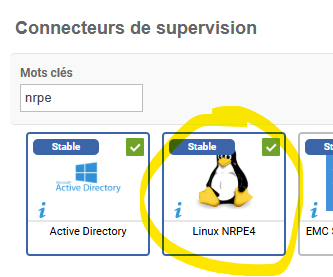
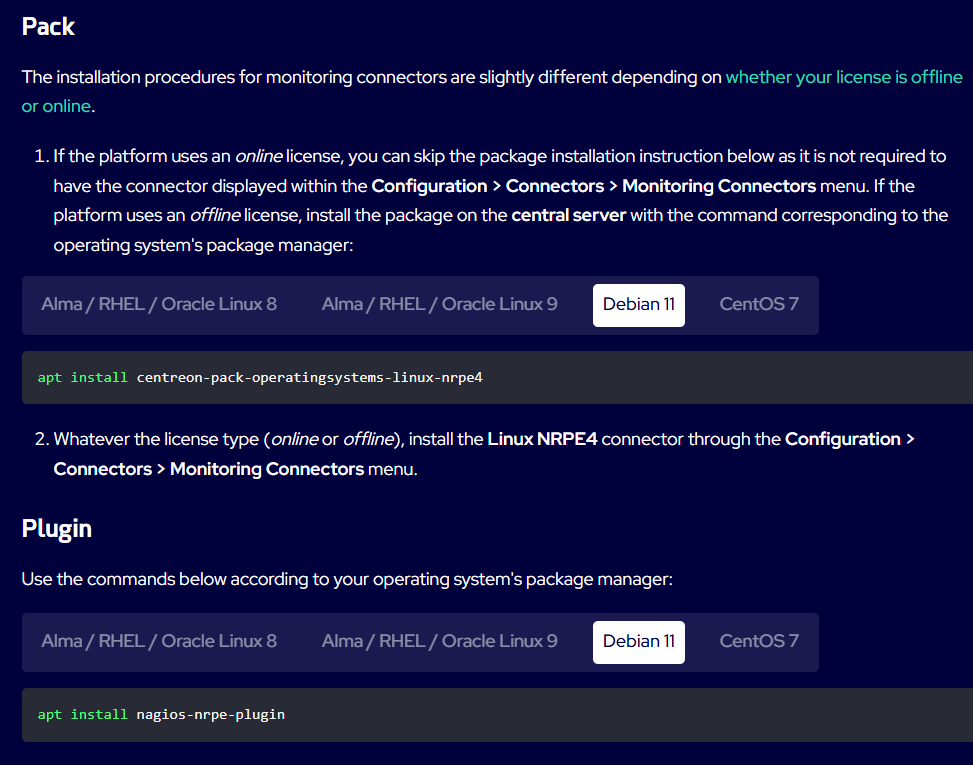
you need the plugin, follow the documentation exactly, you have a “connector” and a “plugin” (the connector is the thing that adds the templates in the web ui on the central, the plugin is a package to install on each pollers (central can be a poller), that why you have 2 thing to install


Forum|alt.badge.img+5
  • Author
  • Steward **
  • May 21, 2025
Hello Christophe,While going through the entire procedure again, I noticed an error:


Forum|alt.badge.img+5
  • Author
  • Steward **
  • May 21, 2025


d’autre part, le connecteur de monitoring est installé sur la console Centreon


Forum|alt.badge.img+17
  • Centreon Lord Commander
  • May 21, 2025

the “PACK” = the thing you install on the central to have the “template” in the web ui, this is only done once on the central
the “PLUGIN” = the thing you install on the poller (can be the same machine as the cental server) , if you have multiple pollers you will need to install that on each pollers


the pack is coming from the repository you need to add with your IT-100 licence

the plugin is coming from the public repository

is your “monitoring” machine just a poller or is it your central server?


edit : if you have the connector in the page as you added while I was responding, then the “Pack” is already installed on the central, no need to install it again


Forum|alt.badge.img+5
  • Author
  • Steward **
  • May 21, 2025
my monitoring PC is my central server
 

Forum|alt.badge.img+5
  • Author
  • Steward **
  • May 21, 2025
I still have an error with my iSCSI link monitoring service. I'm testing for a file on /mnt/save_bali/test.txt


Forum|alt.badge.img+5
  • Author
  • Steward **
  • May 21, 2025
when connecting as "centreon-engine", the test command does not return any value or indication


Forum|alt.badge.img+5
  • Author
  • Steward **
  • May 21, 2025

by correcting the command syntax, "no route to host" port 5666


Forum|alt.badge.img+5
  • Author
  • Steward **
  • May 21, 2025

On the other hand, the "base-ping-LAN-custom" service works perfectly. This allows me to test the presence of the machine on the network


Forum|alt.badge.img+17
  • Centreon Lord Commander
  • May 21, 2025

can you do “ping 10.x.x.x” and  “telnet 10.x.x.x 5666” (if telnet is not installed, there is an alternative with nc, or install telnet on the poller)

if ping works and telnet is not connecting, then : 

the nrpe daemon is not working on the host 10.xxx 

or there is a firewall blocking the traffic (on the linux host, or between the poller and host)