Question

Automatique poller configuration

  • December 13, 2022
  • 6 replies
  • 428 views

Forum|alt.badge.img+8

Hello,
I want to fully automate the installation and registration of a poller on the central with Ansible.
For RPMs or even transcribing the 'registerServerTopology.sh' script, this is no problem.
I even managed to generate via a playbook the 'gorgon' configuration of the poller.
On the other hand I cannot manage to transcribe the 'poller wizard' module of the interface. I noticed this was using an internal REST API, but I can't find any info on the subject.
The objective of this playbook is to install, configure, and declare the poller without administrator intervention (among other things, restarting the gorgon service on the central and the poller)
Thank you for your help
Philippe

6 replies

ponchoh
Centreonian
Forum|alt.badge.img+14
  • Centreonian
  • December 13, 2022

Forum|alt.badge.img+8
  • Author
  • Steward ***
  • December 15, 2022

Hello,

It’s OK with API-v1 : i create and configure poller without Poller Wizard.

Thanks


Forum|alt.badge.img

Hello,

It’s OK with API-v1 : i create and configure poller without Poller Wizard.

Thanks

Hello @LEBRETON and @ponchoh 

I am interesting about how did you do, because i am stuck at that point:

#From Central with Clapi, i add the poller:
sudo centreon -u admin -p '*******' -o INSTANCE -a add -v "poller;192.168.0.111;22;ZMQ;5556"

My poller is now declared in Central:


But how i can follow the steps (export gorgoned conf, restart,...) with CLAPI ?
I try all that commands, but that didn’t change my poller status:
 

sudo centreon -u admin -p '***********' -a POLLERLIST
sudo centreon -u admin -p '***********' -a POLLERTEST -v "poller-name"
sudo centreon -u admin -p '***********' -a POLLERRELOAD -v "poller-name"
sudo centreon -u admin -p '***********' -a POLLERGENERATE -v "poller-name"
sudo centreon -u admin -p '***********' -a APPLYCFG -v "poller-name"
sudo centreon -u admin -p '***********' -a POLLEREXECCMD -v "poller-name"
sudo centreon -u admin -p '***********' -a CFGMOVE -v "poller-name"

Thanks Community for your support

B.R.


ponchoh
Centreonian
Forum|alt.badge.img+14
  • Centreonian
  • April 19, 2023

Hi, have you created the engine configuration (config) ? edited accordingly? 

https://docs.centreon.com/docs/api/clapi/#add-5

added broker config? edited accordingly? 

https://docs.centreon.com/docs/api/clapi/#centreon-broker

set the outputs?

exported the gorgone config?

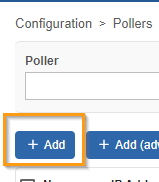
not interested in the magical + ADD 🔮?


Forum|alt.badge.img

Hi, have you created the engine configuration (config) ? edited accordingly? 

https://docs.centreon.com/docs/api/clapi/#add-5

added broker config? edited accordingly? 

https://docs.centreon.com/docs/api/clapi/#centreon-broker

set the outputs?

exported the gorgone config?

not interested in the magical + ADD 🔮?


Thanks for you answer, but i would like to install with ansible in a CD Pipeline.
So i wont use graphical step.
I have already deploy 1 poller with the classic and graphical way, and it’s worked well.

Now i would like to do it entirely automatically.
If i resume the steps of documentation is:

  • Install rpm package centreon-poller on my centos [OK]
     
  • Register server from poller with script registerServerTopology.sh [OK]
     
  • On Central serveur, add poler configuration with CLAPI command:
    sudo centreon -u admin -p '*******' -o INSTANCE -a add -v "poller;192.168.0.111;22;ZMQ;5556" [OK]
     
  • Copy gorgoned configuration from central to poller configuration
    [HOW TO DO IT ?] use a CLAPI Command or i should develop a template file and deploy it with ansible and replace variable.
     
  • Enable gorgone service on poller [EASY TO DO IT]
     
  • Restart gorgone service on poller [EASY TO DO IT]
     
  • Export poller configuration from central web console [HOW TO DO IT ?]
    Which CLAPI command ?

     
  • Restart monitoring engine from central web console [HOW TO DO IT ?]
    Which CLAPI command ?


    Thanks for your help,

    B.R.

Forum|alt.badge.img+2
  • Steward *
  • March 6, 2025

Hello,

I have also set up the following configuration, but Gorgone does not seem to log on my new poller, and it does not switch to "running" in the interface:


#Topology
echo -e '************\ny\n' | sudo /usr/share/centreon/bin/registerServerTopology.sh -u admin -t poller -h https://10.255.254.239 -n Poller2 --insecure

# Creation Poller
centreon -u admin -p ************ -o INSTANCE -a add -v "Poller2;10.255.254.98;22;ZMQ;5556"

# Creation Broker
centreon -u admin -p ************ -o CENTBROKERCFG -a add -v "poller2-module;Poller2"
centreon -u admin -p ************ -o CENTBROKERCFG -a setparam -v "poller2-module;cache_directory;/var/lib/centreon-engine"
centreon -u admin -p ************ -o CENTBROKERCFG -a setparam -v "poller2-module;log_directory;/var/log/centreon-broker/"
centreon -u admin -p ************ -o CENTBROKERCFG -a setparam -v "poller2-module;filename;poller2-module.json"
centreon -u admin -p ************ -o CENTBROKERCFG -a setparam -v "poller2-module;daemon;0"
centreon -u admin -p ************ -o CENTBROKERCFG -a addoutput -v "poller2-module;central-module-master-output;ipv4"
centreon -u admin -p ************ -o CENTBROKERCFG -a setoutput -v "poller2-module;0;host;10.255.254.239"
centreon -u admin -p ************ -o CENTBROKERCFG -a setoutput -v "poller2-module;0;port;5669"


# Creation Centreon Engine
centreon -u admin -p ************ -o ENGINECFG -a add -v "Poller2;Poller2;Centreon Engine configuration file"
centreon -u admin -p ************ -o ENGINECFG -a setparam -v "Poller2;command_file;/var/lib/centreon-engine/rw/centengine.cmd"
centreon -u admin -p ************ -o ENGINECFG -a setparam -v "Poller2;command_check_interval;2s"
centreon -u admin -p ************ -o ENGINECFG -a setparam -v "Poller2;check_for_orphaned_services;1"
centreon -u admin -p ************ -o ENGINECFG -a setparam -v "Poller2;check_for_orphaned_hosts;1"
centreon -u admin -p ************ -o ENGINECFG -a setparam -v "Poller2;check_service_freshness;0"
centreon -u admin -p ************ -o ENGINECFG -a setparam -v "Poller2;check_host_freshness;0"
centreon -u admin -p ************ -o ENGINECFG -a setparam -v "Poller2;enable_notifications;1"
centreon -u admin -p ************ -o ENGINECFG -a setparam -v "Poller2;state_retention_file;/var/log/centreon-engine/retention.dat"
centreon -u admin -p ************ -o ENGINECFG -a setparam -v "Poller2;use_retained_scheduling_info;0"
centreon -u admin -p ************ -o ENGINECFG -a setparam -v "Poller2;broker_module;/usr/lib64/nagios/cbmod.so /etc/centreon-broker/poller2-module.json|/usr/lib64/centreon-engine/externalcmd.so"

Would there be a final part of the configuration to set up for this to work? (This is also for deploying the pollers via Ansible.)