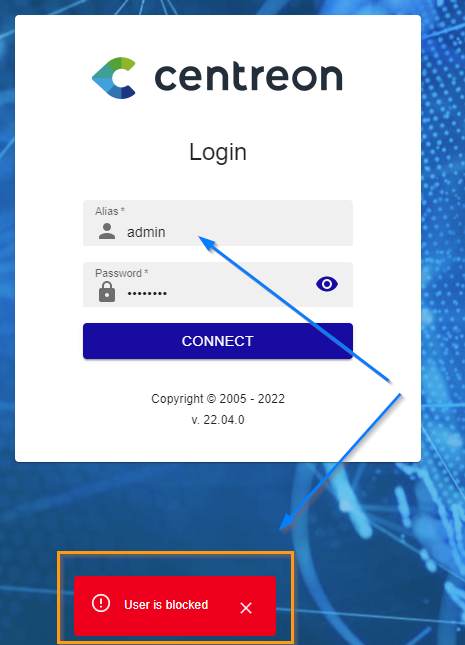
Guys i just installed Centreon for testing on my lab, for whatever reason i was using the incorrect password for the user admin in the web access and now the user is bloqued.
Do you have any advise on how to unlock the user, i have access to the centos root without any problems.
Thanks
Best answer by ponchoh
hi @AVAYER and @rusomenace if you are blocked under the v.22.04
you can reset the user with the next query, make sure to use the right contact ID (replace [change] with the right number id.
update centreon.contact set login_attempts=NULL, blocking_time=NULL where contact_id=[change];
From Centreon 22.04, the algorithm of password hash is in BCRYPT and no more in MD5.
If you need to hardcode a password directly in a database, the MD5('mypassword') function will no more work (the login will try to compare a MD5 password in database with a BCRYPT hash and your authentication will fail).
To avoid this, here is a pair of clear password => hash value. Be sure to write the hashed password in database.
Warning: You will be able to connect to Centreon UI or API with this password, but it doesn’t follow any security policy so be sure to change it for a safer one when you are able to connect to Centreon.
Je m’appel Laurent et je débute sur Centreon et je n’ai que très très peu de notion dans Mysql. Je sais me connecte à ma DB centreon avec mysql en root.
Je suis dans le même cas que Rusomenace. J’ai appliqué les 2 commandes données par @ponchoh et @sduret mais hélas, à chaque fois j’ai la même erreur.
Quand je tape :
update centreon.contact set login_attempts=NULL, blocking_time=NULL where contact_id = admin;
ou
UPDATE contact SET contact_passwd = md5(mypwd) WHERE contact_alias = admin;
cela me répond :
ERROR 1054 (42S22): Unknown column 'admin' in 'where clause'
Je ne sais pas comment interpréter cette réponse, je suis bloqué.
A savoir que c’est “admin” qui est bloqué à la page web de connexion à centreon. Et bien entendu je n’ai qu’un seul utilisateur.