Question

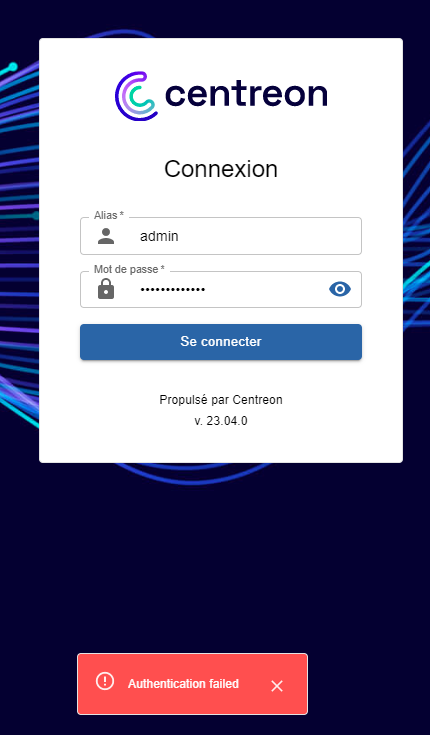
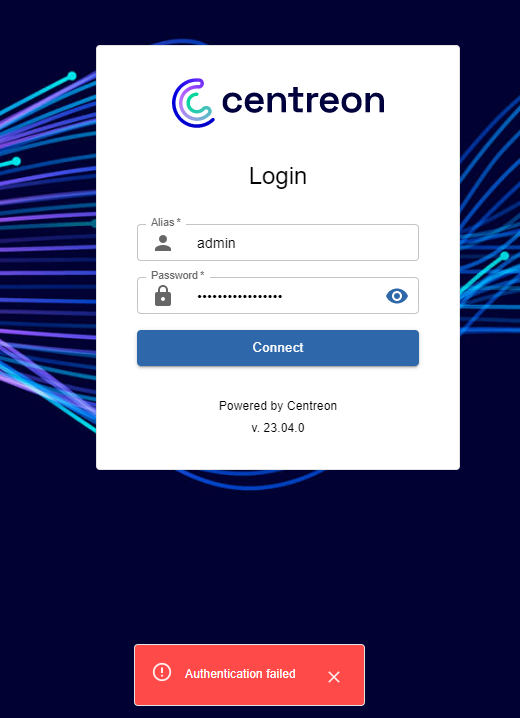
Authentication failed with centreon 23.04

  • May 8, 2023
  • 13 replies
  • 3384 views

Forum|alt.badge.img+2

Hi everyone,

Hope you are well. I have a problem. I successfully installed the latest centreon version 23.04 but two days ago, my admin account stopped to work. Actually, I see the message Authentication failed. Just mention that I don’t loss my password, it is the same after installation and until several successfully web access but suddenly it stopped to work.

My work environment :

  • Debian 11.7
  • Centreon 23.04
  • Google Chrome
  •  Firefox

You can find below the log and screenshot :

No route found for \\"GET http://x.x.x.x/centreon/api/latest/it-edition-extensions/login_page\\"
Thanks in advance for your help.

Kind Regards

GUY505
13 replies

ponchoh
Centreonian
Forum|alt.badge.img+14
  • Centreonian
  • May 8, 2023

👋


@GUY504

Maybe the following can help 


lpinsivy
Centreonian
Forum|alt.badge.img+21
  • Centreonian
  • May 9, 2023

Hi @GUY504 you must connect event with this missing route.

Can you check logs in /var/log/centreon/login.log and or /var/log/php-fpm/centreon-errors.log?


Forum|alt.badge.img+2
  • Author
  • Steward *
  • May 10, 2023

Hi @ponchoh and @Laurent, thanks for your return, I will do it.


Forum|alt.badge.img+2
  • Author
  • Steward *
  • May 10, 2023

Hi @Laurent

I already checked the log and I saw this messege : No route found for \\"GET http://x.x.x.x/centreon/api/latest/it-edition-extensions/login_page\\"


Forum|alt.badge.img
  • Steward *
  • May 10, 2023

Hi, 
 Since yesterday i have the same problem : 


I check the log :  /var/log/centreon/login.log

2023-05-10 10:17:31|0|0|0|[local] [X.X.X.X] Authentication failed for 'admin' : invalid credentials


I don't get this error on all devices. It doesn't work on my pc but it works on another (with the same credentials) :

2023-05-10 10:19:54|1|0|0|[local] [X.X.X.224] Authentication succeeded for 'admin'
2023-05-10 10:20:37|0|0|0|[local] [X.X.X.203] Authentication failed for 'admin' : invalid credentials


lpinsivy
Centreonian
Forum|alt.badge.img+21
  • Centreonian
  • May 10, 2023

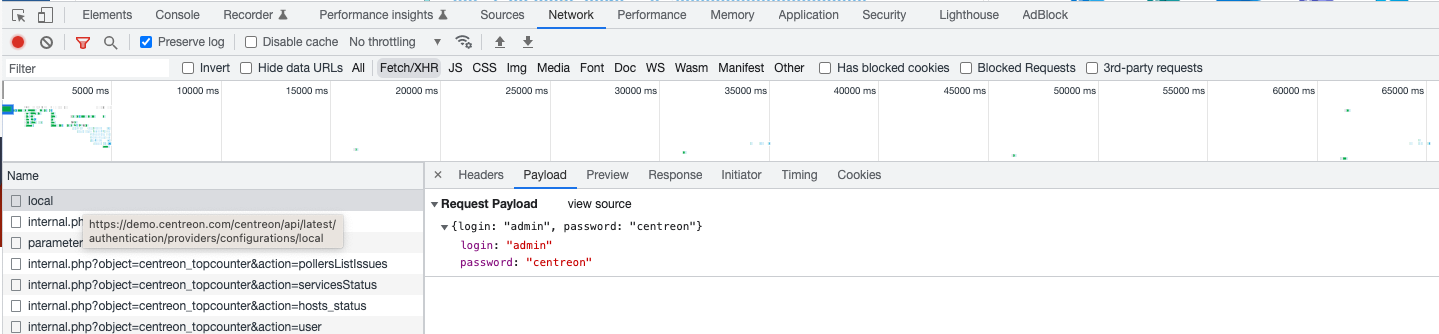
Hi guys, can you open develop tab on your browser and check in “network” tab the payload for the call to the “local” endpoint when you click on “Connect”

Your credentials are correct?


Forum|alt.badge.img
  • Steward *
  • May 10, 2023

That's it ! In my case a copy paste problem with my password manager ! Thanks a lot ;)


Forum|alt.badge.img+2
  • Author
  • Steward *
  • May 10, 2023

Hi @Laurent,

I don’t have the same page. However, I also checked the log and I saw this new message : 

2023-05-10 11:04:43|0|0|0|[local] [x.x.x.x] Authentication failed for 'admin' : invalid credentials
2023-05-10 11:04:43|-1|0|0|[local] [INFO] User is blocked: maximum number of authentication attempts was reached {"contact_alias":"admin"}


Forum|alt.badge.img+2
  • Author
  • Steward *
  • May 10, 2023

Hi @Varos,

Please, can you give me explanation ?

Thanks in advance ! 


Forum|alt.badge.img
  • Steward *
  • May 10, 2023

Hi @GUY504,

I had the same problem with the log, it's because you tried to login in too many times.

You need to “reset” your number of attempts :

# Connect to DB
mysql -u root

# Check if you are blocked
SELECT contact_id, contact_alias, login_attempts, blocking_time FROM centreon.contact;

# Reset login attempts and blocking_time
UPDATE centreon.contact set login_attempts=NULL, blocking_time=NULL;


Forum|alt.badge.img+2
  • Author
  • Steward *
  • May 10, 2023

Hi @Varos,

Thanks for your answer, i noticed that i was blocked but the problem is the same. How can i change the admin password ? 

Thanks in advance :)


Forum|alt.badge.img+2
  • Author
  • Steward *
  • May 11, 2023

Hello, 

I still have the same issue, I preferred to remove and reinstall centreon because I don’t have enough of time. 

Thanks everyone !


Forum|alt.badge.img
  • Steward *
  • July 14, 2023

Bonjour, ca peut vous aider.


1. Générer le mot de passe souhaité pour le compte admin avec le protocole MD5

php -r 'echo md5("karrhell");'


le resultat est : a7d40cdbe2b81ff5036dbaaa90a290d1


2. Sécuriser la base de données

mysql_secure_installation


3. Se connecter à la base de données :

mysql -u root -p


4. Utiliser la base de données Centreon

use centreon;


5. Changer le mot de passe

UPDATE contact_password SET password='a7d40cdbe2b81ff5036dbaaa90a290d1' where contact_id='1';


6.Tester le mot de passe sur l'interface de connexion

nom d'utilisateur = admin

mot de passe      = karrhell