


Hi,
At the moment the expiration date of a license is being checked. SupportExpirationDate, which usually expires sooner, would also be important.
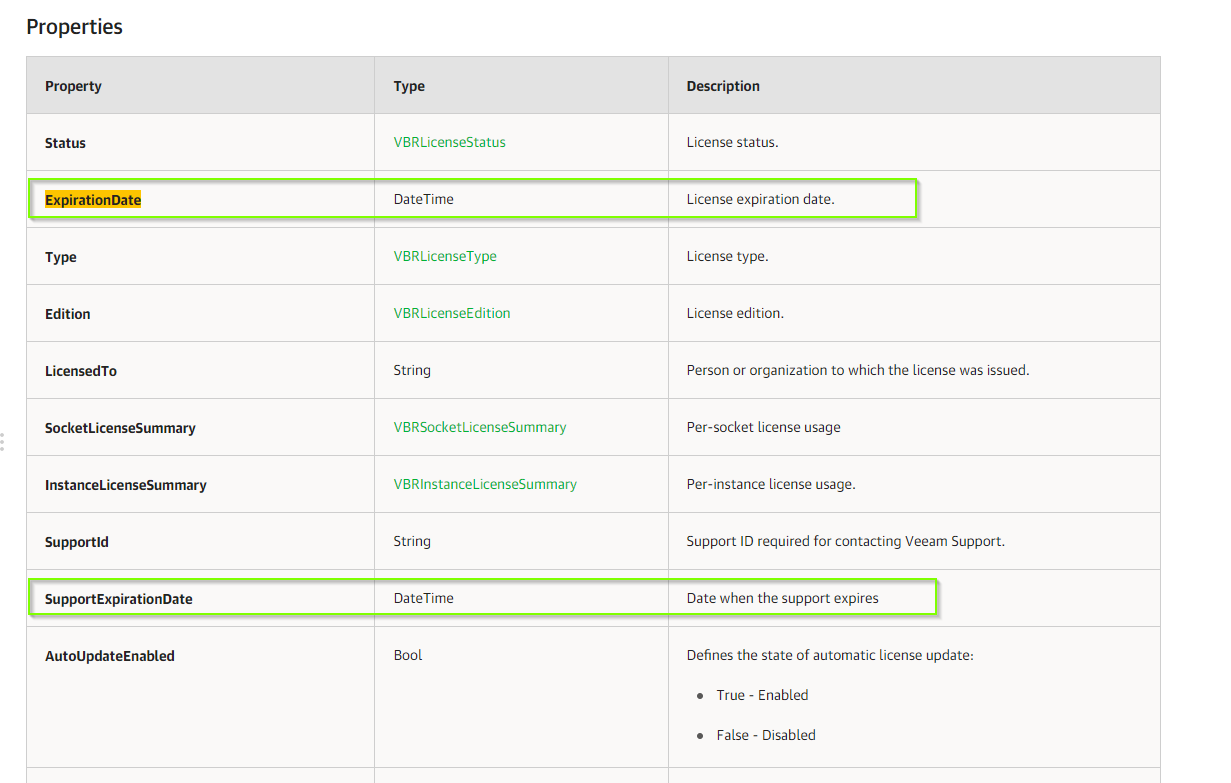
Here the output of the Get-VBRInstalledLicense PowerShell ..
Status : Valid
ExpirationDate :
Type : Perpetual
Edition : Standard
LicensedTo : xxxxxx
SocketLicenseSummary : {Veeam.Backup.PowerShell.Infos.VBRSocketLicenseSummary}
InstanceLicenseSummary : Veeam.Backup.PowerShell.Infos.VBRInstanceLicenseSummary
CapacityLicenseSummary : Veeam.Backup.PowerShell.Infos.VBRCapacityLicenseSummary
SupportId : 00001111
SupportExpirationDate : 01/10/2021 00:00:00
AutoUpdateEnabled : False
FreeAgentInstanceConsumptionEnabled : True
CloudConnect : Disabled
Can you add this in centreon/common/powershell/veeam/licenses.pm and in /apps/backup/veeam/local/mode/licenses.pm and --warning-expires and --warning-expires both check dates ?
Thanks