Question

How can I monitor the validity of the certificate of a WEB server listening on a port other than 443?

  • December 10, 2024
  • 5 replies
  • 312 views

Forum|alt.badge.img+5

Hello,

I would like to monitor several certificates for WEB servers listening on non-standard ports on the same server. How can I proceed in order to comply with the best practices to be used on Centreon?

Note that I’m following the guide : https://docs.centreon.com/fr/pp/integrations/plugin-packs/procedures/applications-protocol-x509/ When applying the host model, the list of the macros is not updated ?

How can I investigate this issue ?

Thank you,
Jean

5 replies

Forum|alt.badge.img+7
  • Steward *
  • December 10, 2024

Hi,

It's the same problem with Centreon for all services instantiated several times on the same physical server (Oracle databases, web servers, etc.).


You have two choices :

  1. Use the Centreon templates by creating one Centreon host by https port.
  2. Create your own services templates and commands to monitor multiple web services on the same physical server with a single Centreon host.


Personally I chose option 2 for Oracle services, http and certificates…


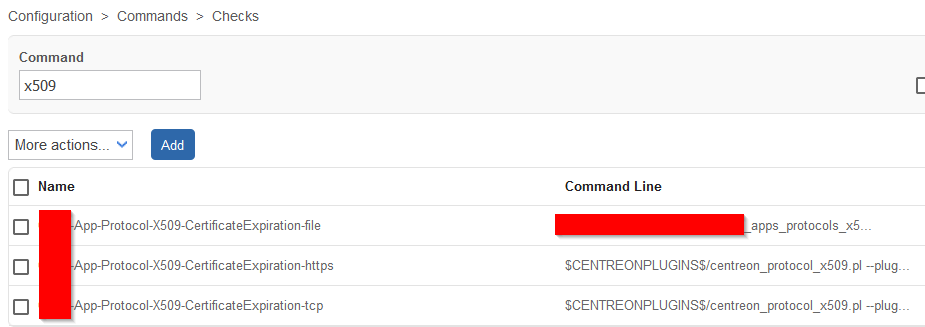
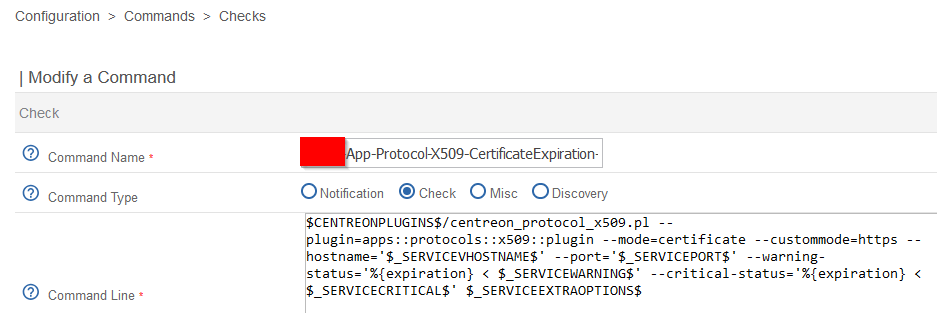
I created my own commands :


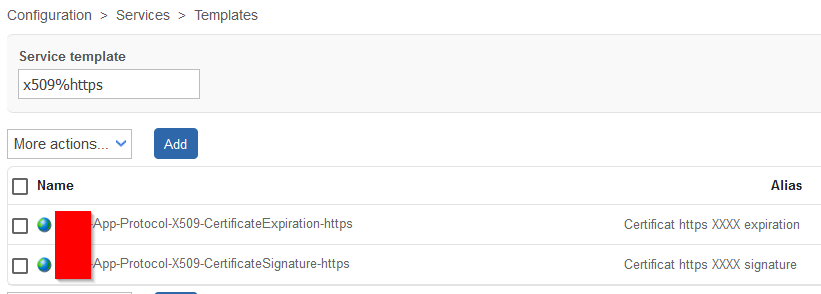
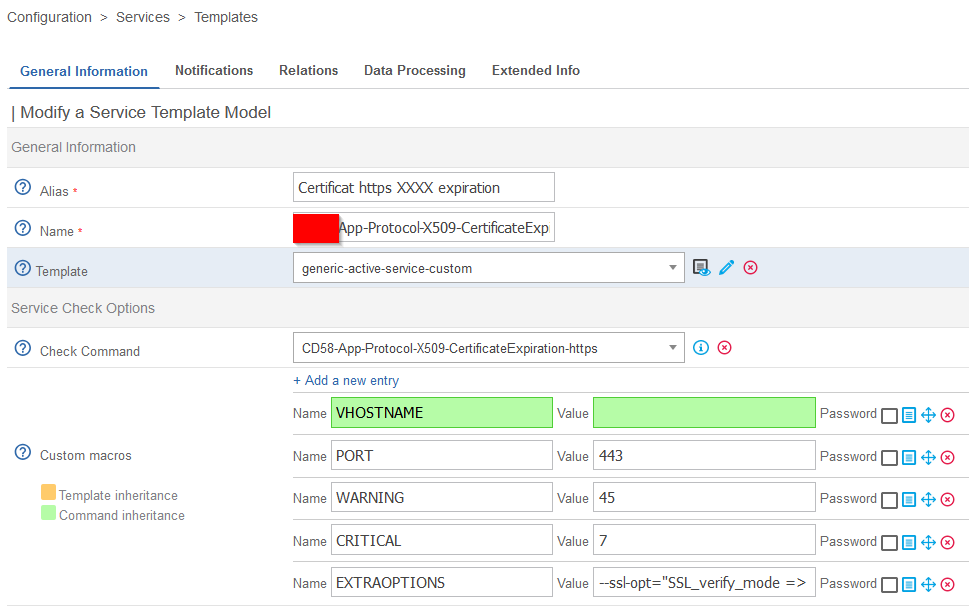
and my own services templates :


and finally, I create as many services as necessary on the same Centreon host :


Regards


Forum|alt.badge.img+5
  • Author
  • Steward **
  • December 10, 2024

Dear ​@cb58 

I just followed the information given in the point 2 of your reply, but the same issue happen : when I create a new host with the check I want to use, no custom macros appears, meaning I cannot select the TCP port to check my certificate … Something seems wrong somewhere, but I cannot figure out where is the issue :-/

Jean


Forum|alt.badge.img+7
  • Steward *
  • December 10, 2024

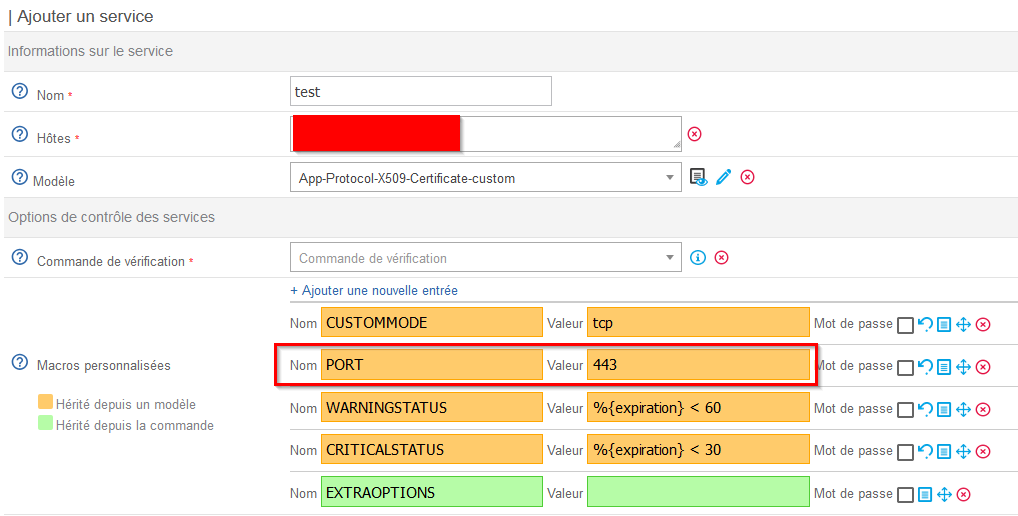
I checked centreon template. The TCP port is on the service :


Regards


Forum|alt.badge.img+5
  • Author
  • Steward **
  • December 10, 2024

Dear ​@cb58 

All your explanations seem good to me, but the values that should appear when I create a host remain empty …

Regards,

Jean


Forum|alt.badge.img+7
  • Steward *
  • December 10, 2024

The values are on the service, not on the host. You need to manually add an “App-Protocol-X509-Certificate-custom” service on your host.